Getting started
This page gets you from a fresh account to a completed workflow run.
Sign in
Workflows is a web application — everything happens in the browser, and there is nothing to install.
- Open your organization's Workflows URL (for example
https://workflows.fossid.com). - Sign in with the identity provider your organization uses.
- If you were invited by email, follow the invitation link instead. It signs you in and adds you to the right organization in one step.
Organizations
Every workflow, connection, and execution belongs to an organization. Organizations keep tenants separate: you only ever see data belonging to the organization you are signed in to.
If your account is not yet a member of one, you are taken to onboarding to create or join an organization before you can continue.
Find your way around
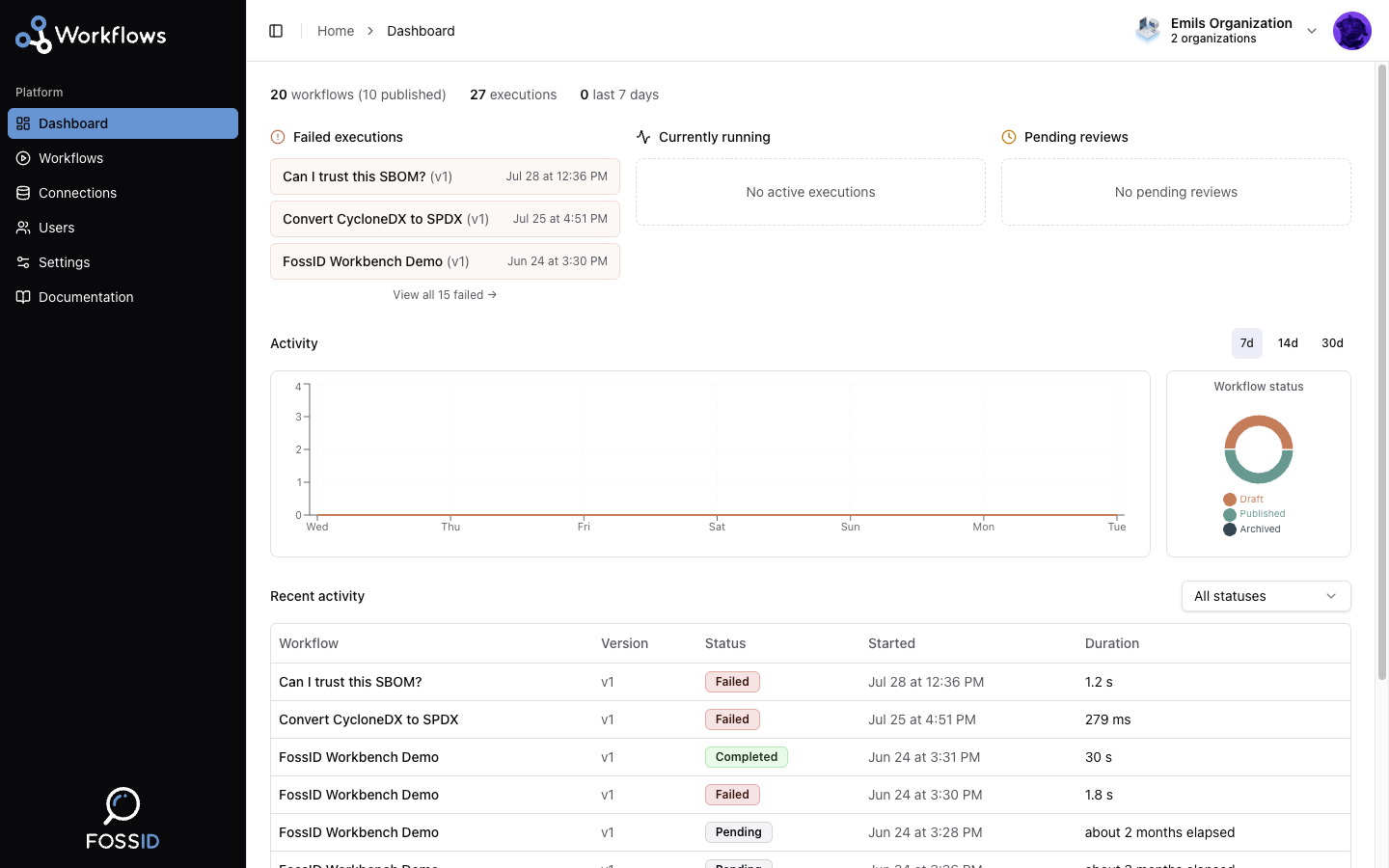
The sidebar is the main navigation:
| Section | What it is for |
|---|---|
| Dashboard | Activity overview — execution counts, workflow states, recent runs. |
| Workflows | The list of your workflows. Create, open, edit, and publish them here. |
| Connections | Credentials for external systems: databases, the FossID Knowledge Base, and FossID Workbench. |
| Users | Organization members, invitations, and roles. |
| Settings | Organization and personal preferences, including theme. |
| Documentation | Opens this documentation. |
Run your first workflow
The fastest path to seeing Workflows actually do something is to start from a template rather than an empty canvas.
- Go to Workflows and create a new one. You are offered a set of ready-made starting points — see Starting from a template. Can I trust this SBOM? is the one to pick first: it takes an SBOM, verifies its licenses, checks it against regulations, and produces a PDF of what it found.
- Fill in anything the template leaves blank. Steps that reach outside the platform need a connection — verifying licenses needs FossID Knowledge Base access, for instance.
- Publish it. Only published workflows can run; a draft is still being edited.
- Trigger it by opening the workflow's upload page and submitting an SBOM. See Using the upload portal.
- Open the workflow's details page and watch the execution progress. Each node reports its own status as it runs.
- When the run finishes, download the outputs from the execution.
Prefer to build it yourself? Build your first workflow assembles the same pipeline node by node.
What to read next
- Core concepts — what workflows, nodes, edges, and executions actually are. Worth reading before you build anything non-trivial.
- Build your first workflow — a step-by-step build of a real compliance pipeline.
- Node reference — what each processing step does and how to configure it.
- Troubleshooting — when a run does not do what you expected.