Executions
An execution is one run of a published workflow. Every trigger creates a new one, and each is completely independent — the same workflow can be running many times at once without the runs interfering.
An execution records what happened: when it started and finished, which nodes ran, what each of them produced, and how it ended.
What happens during a run
- A trigger fires and an execution is created.
- The first node runs.
- When a node finishes, the platform follows its outgoing edges: the success path if it succeeded, the failure path if it did not.
- Nodes that accept multiple inputs wait until every branch feeding them has finished.
- When no nodes are left to run, the execution reaches a final status.
Each node's output is kept for the run, so you can download not just the end result but the intermediate products of each step.
Files produced by an execution are retained for a limited period and then cleaned up. Download anything you need to keep, or add a node that writes results to a destination you control.
Execution statuses
| Status | Meaning |
|---|---|
| Pending | Created, not started yet. |
| In progress | Running. |
| Pending approval | Paused at a review step, waiting for a person. |
| Completed | Every node succeeded. |
| Partially completed | Finished, but not everything succeeded. |
| Error handled | A node failed and its failure path dealt with it. The run ended in a state you designed for. |
| Failed | A node failed with no failure path to catch it. |
| Rejected | A reviewer rejected an approval gate. Terminal. |
Error handled and failed are worth distinguishing. Both involve something going wrong, but error handled means the workflow anticipated it — the failure path ran and did whatever you set it up to do. Failed means nothing caught it.
Node statuses
Within a run, each node carries its own status:
| Status | Meaning |
|---|---|
| Pending | Waiting to run. |
| In progress | Running now. |
| Awaiting approval | Paused for a human decision. |
| Completed | Finished successfully. |
| Approved | A reviewer approved it. Continues like completed. |
| Failed | Something went wrong. |
| Rejected | A reviewer rejected it. Triggers the failure path, like failed. |
| Fail path handled | The node failed and its failure path ran. |
| Fail path ignored | The node failed and had no failure path. |
Viewing executions
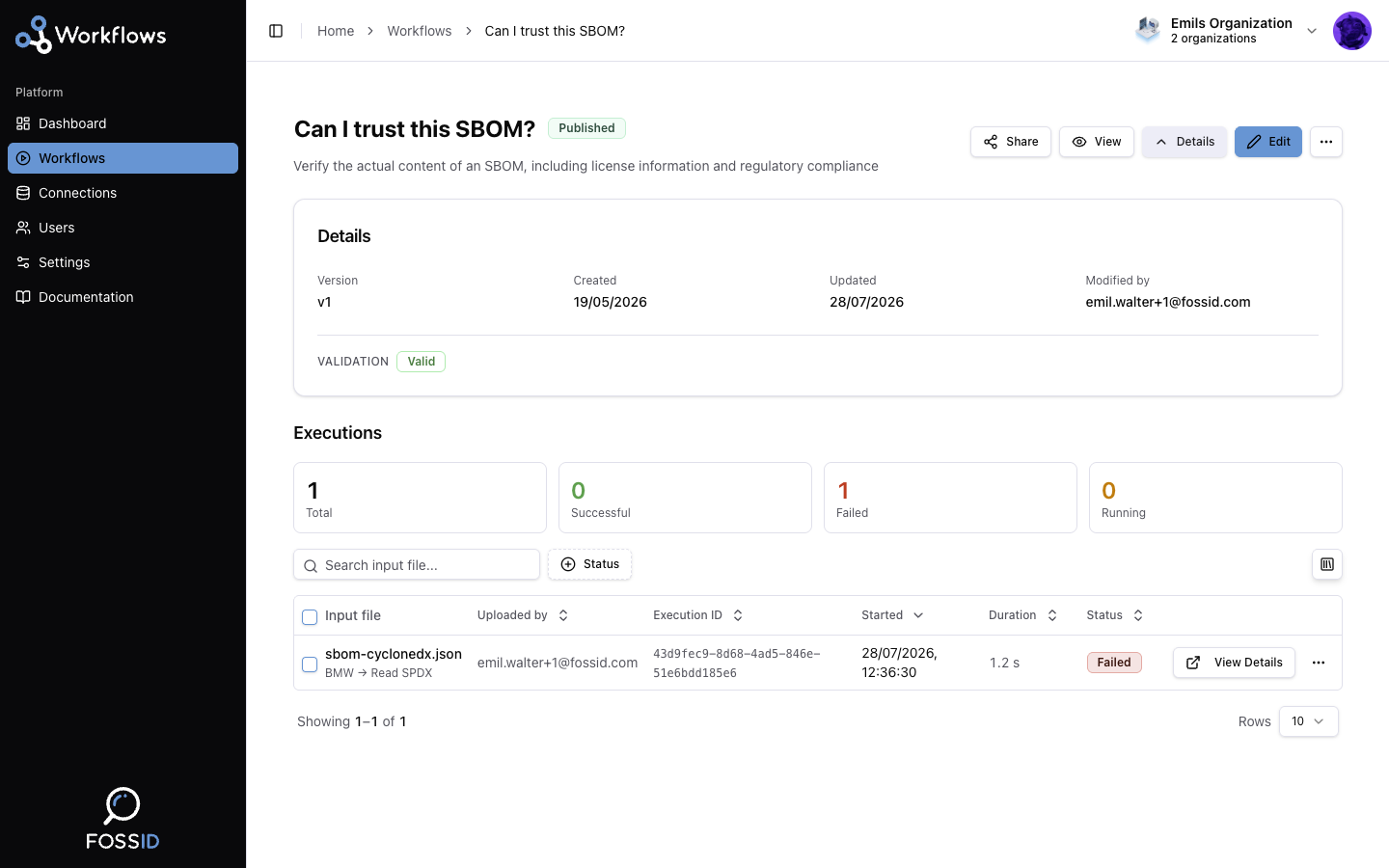
Open a workflow's details page to see its executions, each with its status, timing, and per-node breakdown. The view refreshes on its own while a run is in progress.
Related
- Triggers — what starts an execution.
- Reviews — how approval gates pause one.
- Execution status reference — the same statuses as a quick lookup table.
- Troubleshooting — when a run does not behave.