Edges and data flow
An edge is a connection between two nodes. It does two jobs at once: it sets the order the nodes run in, and it carries the data from one to the next.
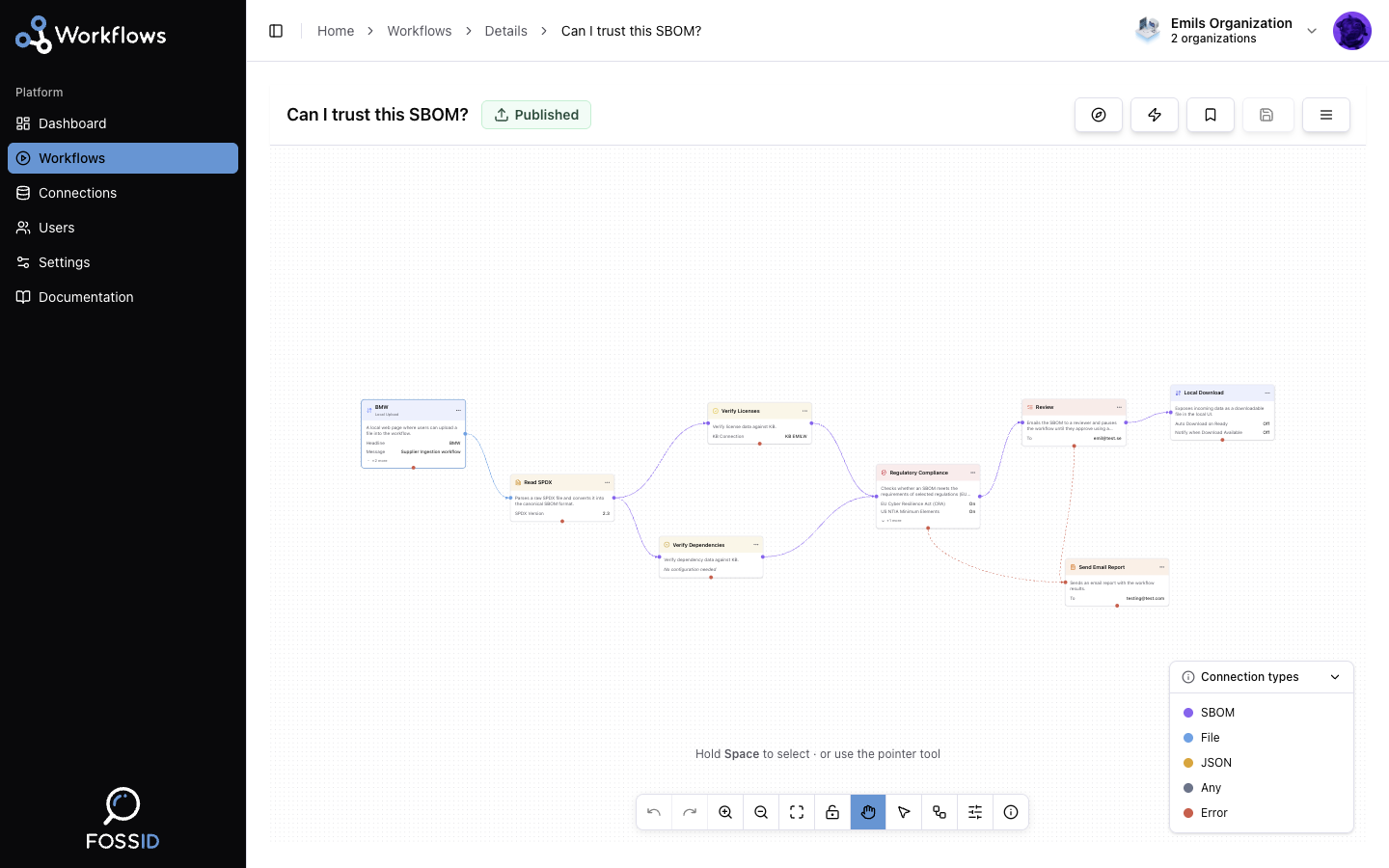
Success and failure paths
Each node has two outgoing connection points, and which one you use changes what the edge means.
- A success path leaves from the node's right handle. It is followed when the node succeeds, and it carries the node's output onward. This is the normal flow of a workflow.
- A failure path leaves from the node's bottom handle. It is followed only when the node fails, and instead of the node's usual output it carries error information: which node failed and why, along with the input that node was working on.
Failure paths are what let a workflow degrade gracefully instead of just stopping. A common pattern is to run the pipeline normally on the success path and hang a Send Email Report node off the failure path, so somebody is told when a run goes wrong.
A node with no failure path simply fails, and the branch below it does not run.
Data types
Every node input and output has a type. There are five.
| Type | What it is |
|---|---|
sbom | The canonical internal SBOM representation. The main currency of the platform. |
json | Generic JSON data. |
file | A file whose contents are not known in advance — an upload, an import, a webhook payload. |
any | Accepts or produces anything. Used by flexible processing nodes. |
error | Produced on a failure path. Carries the failed node's name and its error. |
The file type is worth understanding, because it is the one that trips people
up. Data arriving from outside the platform is file: nothing has inspected it
yet, so nothing knows what it is. Before other nodes can work with it, it has to
go through a reader node — Read CycloneDX
or Read SPDX — which parses it into
the canonical sbom type.
That is why nearly every workflow starts with an upload followed immediately by a reader.
Type compatibility
An edge is only valid if the source's output type can feed the target's input type:
| Output ↓ / Input → | sbom | json | any | file | error |
|---|---|---|---|---|---|
sbom | ✓ | ✓ | ✓ | ✗ | ✗ |
json | ✗ | ✓ | ✓ | ✗ | ✗ |
any | ✓ | ✓ | ✓ | ✓ | ✓ |
file | ✗ | ✗ | ✓ | ✓ | ✗ |
error | ✗ | ✗ | ✓ | ✗ | ✗ |
The editor enforces this while you draw connections, so an incompatible edge is rejected as you make it rather than at run time.
Branching and merging
Nothing stops a node from feeding several others: draw multiple edges from the same handle and each target runs with the same input. That is how a workflow does several things with one SBOM — write it out as CycloneDX and as SPDX, say.
Bringing branches back together requires a node that accepts multiple inputs. Such a node waits until every branch feeding it has finished before it runs. See Merge Data.
Related
- Nodes — the steps edges connect.
- Executions — what the statuses mean when a path is taken.