Connections
A connection is a saved set of credentials for an external system. Nodes that need to reach outside the platform refer to a connection rather than carrying credentials of their own.
Keeping them separate means credentials are entered once, stored securely, and reused across every workflow that needs them — and rotating them is a single edit rather than a hunt through every pipeline.
Connections belong to the organization, so they are shared by everyone in it.
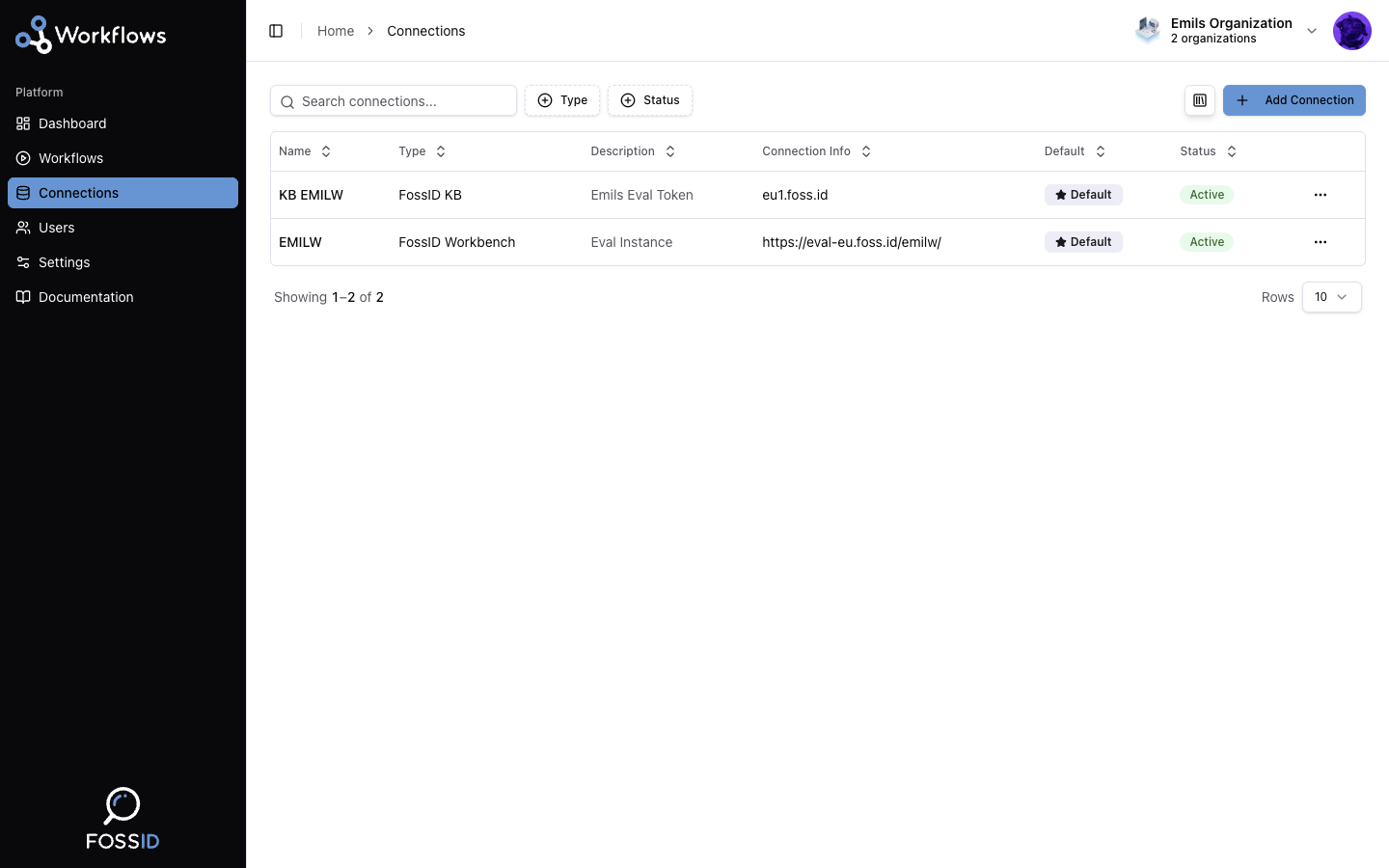
Types
Database
A PostgreSQL database belonging to your organization. Used by the Database Read and Database Update nodes to pull data in and write results back out.
Credentials are encrypted at rest.
FossID Knowledge Base
The FossID Knowledge Base is the reference data that component and license information is checked against. It is used by Normalize Data to canonicalize component details and by Verify Licenses to verify license data.
FossID Workbench
A FossID Workbench instance. Used by the Workbench nodes to run scans, evaluate gates, and pull reports from a workflow.
Status
Each connection shows whether it is currently usable:
| Status | Meaning |
|---|---|
| Active | Working. |
| Pending | Not verified yet. |
| Inactive | Disabled and not in use. |
| Error | The last attempt to use it failed — commonly wrong credentials, an unreachable host, or expired access. |
A workflow whose node points at a broken connection will fail at that node. If runs start failing at a node that used to work, the connection is the first thing to check.
Related
- Setting up connections — how to add one.
- Node reference — which nodes need which connection.